


Honeycomb Aeronautical
Take Flight Simulation to New Heights
Honeycomb Aeronautical is dedicated to bringing the feel of real-world aviation into your simulator cockpit. Designed by pilots for pilots, each Honeycomb product delivers professional-grade precision and durability that enhance every stage of flight—from takeoff to touchdown.
Honeycomb Aeronautical flight controls bring realistic, hands-on control to your flight simulator. From yokes and throttle quadrants to rudder pedals, each product is designed with attention to precision, ergonomics and practical cockpit functionality. This helps you control your aircraft with greater confidence, whether you're flying general aviation or commercial aircraft.
Compatible with Microsoft Flight Simulator (MSFS 2020 and 2024), X-Plane, and Prepar3D on both Windows and macOS, Honeycomb hardware connects easily via USB for plug-and-play performance. Each unit is engineered to integrate seamlessly with other Honeycomb modules, creating a cohesive and expandable flight deck setup.
- Your Flight Simulator Specialist since 2013
- Personal Advice from our Flight Sim Experts
- Rated 4.8 stars on average by 2000+ customers

Honeycomb Alpha Flight Controls
The Honeycomb Alpha Flight Controls Yoke brings authentic, hands-on realism to general aviation and small aircraft simulation. With 180 degrees of rotation and a solid steel shaft supported by precision bearings, it delivers smooth, reliable pitch and roll control throughout your flight. Its robust construction ensures a consistent, durable feel even during intensive use.
- Versatile Flight Simulation Yoke for smaller aircraft, perfect for airliners
- Compatible with MSFS 2020, MSFS 2024, X-Plane and Prepar3D
- The Honeycomb Alpha XPC is fully compatible with Xbox Series X|S
Choose the Alpha Lite for essential yoke controls, the original Alpha for an integrated switch panel, or the Alpha XPC for Xbox-compatible flying.
-

Honeycomb Alpha Flight Controls Lite
€ 157,47
-
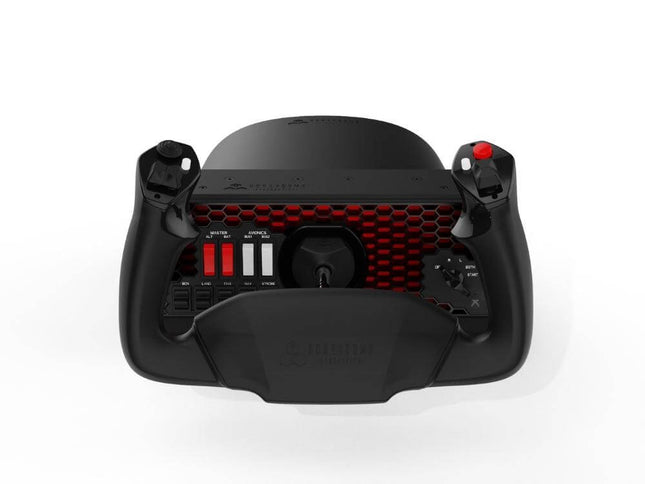
Honeycomb Alpha Flight Controls XPC
€ 280,06
-

Honeycomb Flightsim HUB
€ 42,55
-

Honeycomb Dust Cover for Alpha or Bravo
€ 28,93
-

CockpitCrafters UnderDesk Mount Neo for Honeycomb
€ 63,83


Choose the original Bravo for extensive multi-engine and autopilot controls, or the Bravo Lite for a more streamlined throttle setup.
-

Honeycomb Bravo Throttle Quadrant Lite
€ 157,47
-

Honeycomb Airbus Throttle Pack
€ 55,32
-

Honeycomb Bravo Flap Kit
€ 28,93
-

Honeycomb GA Trim Wheel Cover
€ 20,42
-
Honeycomb Dust Cover for Alpha or Bravo
€ 28,93
-
CockpitCrafters UnderDesk Mount Neo for Honeycomb
€ 63,83


-
Read moreRead more
Trim Wheel
Fine-tune your elevator trim using this easy to use, low-profile trim wheel.
-
Read moreRead more
Throttle, Propeller, and Mixture
Vernier-style throttles, as found in many General Aviation airplanes.
-
Read moreRead more
Parking Brake, with Flaps- and Gear-lever
Easily set your parking brake, adjust flaps and lower/raise your gear from the right side of your TPM-module.
Sierra TPM Module
The Honeycomb Sierra TPM is designed for sim pilots who want to replicate the handling of a single-engine general aviation aircraft. It provides precise throttle, propeller, and mixture control through full-metal vernier knobs, allowing you to make fine power adjustments with smooth, tactile resistance.

Charlie Rudder Pedals
The Honeycomb Charlie Rudder Pedals deliver precise, responsive control for every phase of flight. Equipped with high-resolution Hall-effect sensors, they ensure smooth and accurate input for yaw and braking. The sturdy aluminum construction and steel springs provide a solid, realistic feel that withstands intensive use, whether you’re taxiing, taking off, or landing.
The Charlie Pedals let you adjust both pedal angle and spring tension to suit your preferred setup. Each pedal offers independent differential braking, allowing for precise steering during taxi and rollout. Non-slip rubber feet and an optional floor-mounting system keep the unit securely in place, even under heavy pedal pressure.
- Fully adjustable: from pedal angle to sliding resistance
- Works out of the box: no driver- or plugin-installation required
- Compatible with MSFS 2020, MSFS 2024, X-Plane and Prepar3D
- Your Flight Simulator Specialist since 2013
- 14-Day Returns - No Questions Asked
- Rated 4.8 stars on average by 2000+ customers


Flying on Xbox Series X|S?
Selected Honeycomb Aeronautical flight controls are compatible with Microsoft Flight Simulator on Xbox Series X|S, excluding cloud gaming.
When using the Honeycomb Alpha XPC as primary controller, the Bravo Throttle and Charlie Rudder Pedals can be connected through the Xbox Hub.
-
Honeycomb Alpha Flight Controls XPC
€ 280,06
-

Honeycomb Xbox Hub
€ 42,55
-
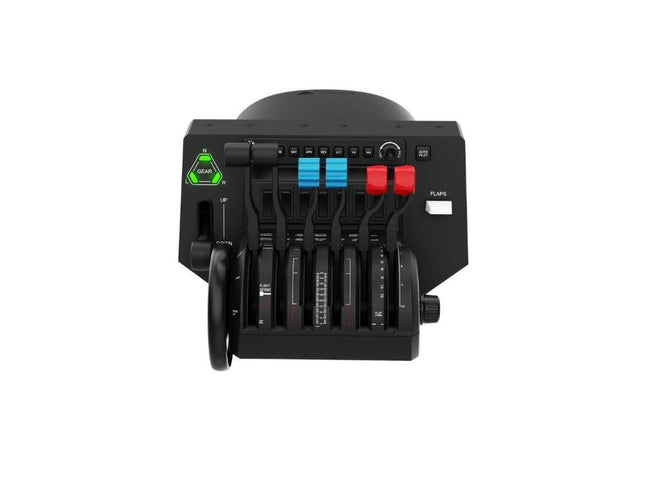
Honeycomb Bravo Throttle Quadrant
€ 220,47
-
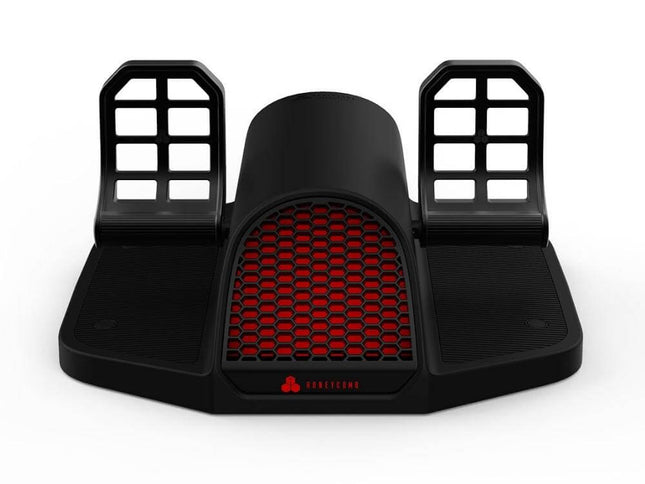
Honeycomb Charlie Rudder Pedals
€ 280,06


Frequently Asked Questions about Honeycomb Aeronautical hardware
Are Honeycomb Aeronautical products compatible with Microsoft Flight Simulator 2020 and 2024?
Yes. Current Honeycomb Alpha, Alpha XPC, Bravo and Charlie hardware can be used with both Microsoft Flight Simulator 2020 and Microsoft Flight Simulator 2024. The primary axes and buttons are recognised by the simulators, although you may need to adjust the default control assignments or create aircraft-specific profiles. Additional software may be required for certain functions, such as the LEDs on the Bravo Throttle Quadrant.
Can I use Honeycomb flight controls on Xbox Series X|S?
Yes, but you need the correct Honeycomb hardware.
The Alpha Flight Controls XPC supports Xbox, while the original Alpha Flight Controls is designed for PC and Mac. To add the Bravo Throttle Quadrant or Charlie Rudder Pedals on Xbox, you also need the Honeycomb Xbox Hub together with the Alpha XPC.
If you want to use a handheld controller, adjusted for flight simulation, you can use the Echo Aviation Controller XPC.
Can I combine Honeycomb controls with flight simulator hardware from other brands?
On PC, generally yes. Honeycomb controls are recognized as individual USB devices, allowing you to combine a Honeycomb yoke or throttle with flight simulator hardware from other manufacturers. Xbox is more restrictive, so always check compatibility when combining products from different ecosystems.
Is Honeycomb Aeronautical still active and are its products still supported?
Yes. Honeycomb Aeronautical continues to offer flight simulation hardware and provides software, downloads, and support for its products. Product availability can vary between models and regions, so check current availability when choosing your Honeycomb hardware.
Why are the lights on my Honeycomb Bravo not working?
The annunciator and landing gear lights on the Bravo require software support and may not work from the simulator's standard control assignments alone. Make sure the appropriate Honeycomb software or LED driver for your simulator is installed and up to date.